Activity#4 Git fundamentals Documentation
Step 1: Check Git Verision

Step 2: Configure Git

Step 3: Initialize a Git Repository

Step 4: Add Files to the Repository

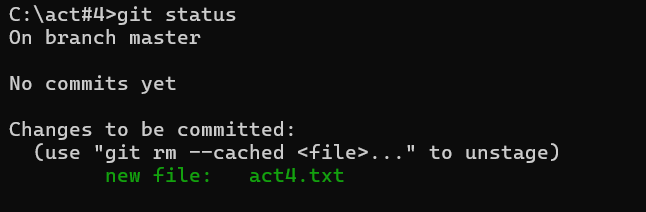
Step 5: Check the status
Step 6: Commit Changes

Step 7: View Commit History

Search for a command to run...
Step 1: Check Git Verision
Step 2: Configure Git
Step 3: Initialize a Git Repository
Step 4: Add Files to the Repository
Step 5: Check the status
Step 6: Commit Changes
Step 7: View Commit History
1 day late -5
With this project I use this interface or model, this is based on the provided figma design. name for the menu name and the img is for the food image. then ID is their unique identifier. // recipe.model.ts export interface Recipe { id: number; n...
The purpose of the Books interface is to define a consistent structure for book objects in your Angular application. It ensures that whenever you work with a book, it has all the necessary details like its ID, title, author, genre, and an image URL. ...
This project is a responsive product listing page built with Angular and CSS. It includes a header for navigation and a grid layout to display products in a visually appealing way. The header provides links to different sections, such as "Home," "Abo...
Applying SOLID Principles in Angular We are going to start with the most vague concept that is the least obvious in terms of how we should actually apply it to our Angular development: SOLID principles. The reason it is vague and not immediately obvi...
HTTP status codes are essential in RESTful APIs as they communicate the outcome of an API request, letting the client know whether it was successful, requires additional actions, or failed due to an error. 1xx (Informational) 1xx codes indicate that ...