Research Angular Pipes
Imagine if you could change the way certain information looked on the screen. This could be with respect to styling, size, or format. You can do all that and more with Angular Pipes. Angular Pipes allows its users to change the format in which data is being displayed on the screen. For instance, consider the date format. Dates can be represented in multiple ways, and the user can decide which one to use with the help of Angular Pipes.
What are Angular Pipes?
Angular Pipes transform the output. You can think of them as makeup rooms where they beautify the data into a more desirable format. They do not alter the data but change how they appear to the user.
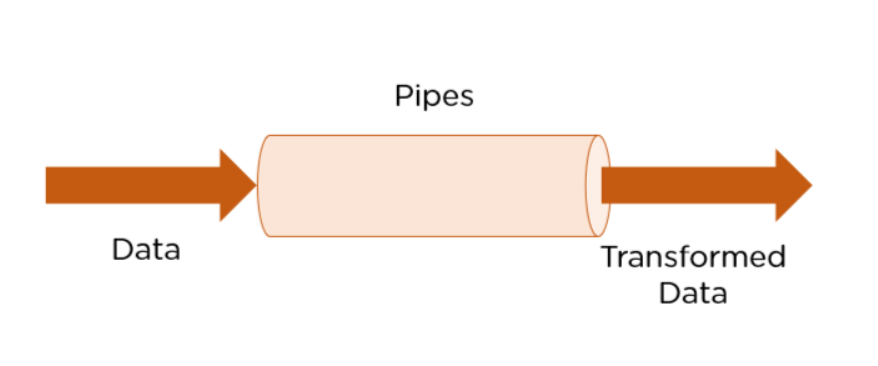
Technically, pipes are simple functions designed to accept an input value, process, and return a transformed value as the output. Angular supports many built-in pipes. However, you can also create custom pipes that suit your requirements. Some salient features include:
Pipes are defined using the pipe “|” symbol.
Pipes can be chained with other pipes.
Pipes can be provided with arguments by using the colon (:) sign.
Some commonly used predefined Angular pipes are:
DatePipe: Formats a date value.
UpperCasePipe: Transforms text to uppercase.
LowerCasePipe: Transforms text to lowercase.
CurrencyPipe: Transforms a number to the currency string.
PercentPipe: Transforms a number to the percentage string.
DecimalPipe: Transforms a number into a decimal point string.
Creating Custom Pipes
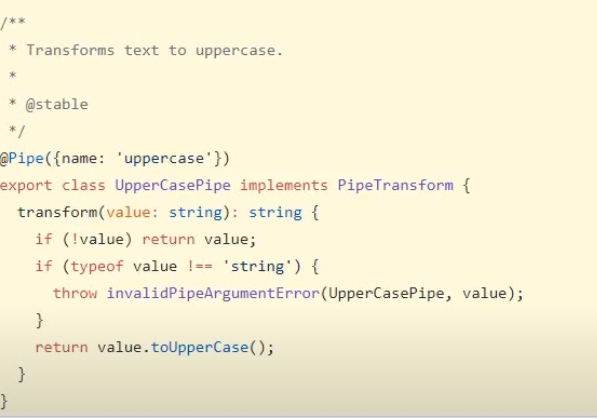
Angular makes provision to create custom pipes that convert the data in the format that you desire. Angular Pipes are TypeScript classes with the @Pipe decorator. The decorator has a name property in its metadata that specifies the Pipe and how and where it is used.
Attached below we’ve added the screenshot of the code that Angular has for the uppercase pipe.
ref: https://www.simplilearn.com/tutorials/angular-tutorial/angular-pipes#what_are_angular_pipes
Creating Custom Pipes
Custom pipes are used to transform the data in an Angular application.
You can create custom pipes in Angular by defining a new class and implementing the PipeTransform interface. The PipeTransform interface contains a single method called transform that takes an input value and returns the transformed value.
custom.pipe.ts:
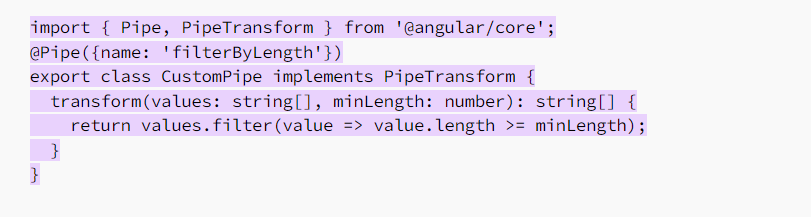
In the above example, we define a CustomPipe class that implements the PipeTransform interface. The transform() method takes two arguments - an array of strings and a minimum length. It then filters out any strings in the array that are greater than or equal to the specified length.
We then decorate the class with the @Pipe decorator and provide a name property to give the pipe a name. The name is what we'll use to reference the pipe in our templates.
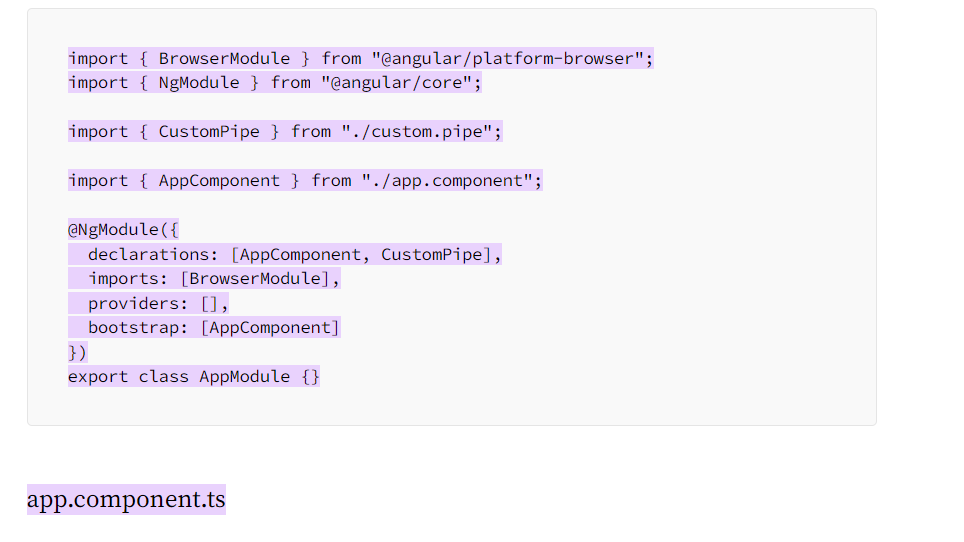
app.module.ts
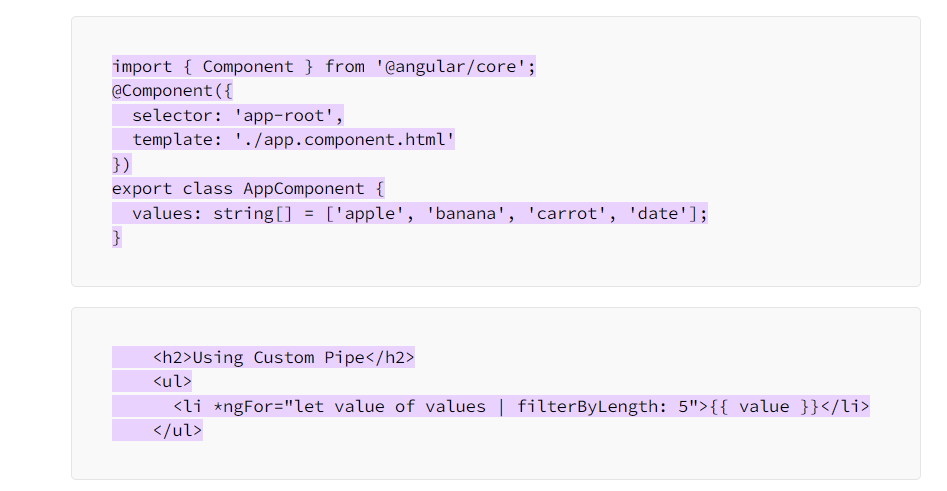
In the above example, we have a values array that contains some strings. We then use the filterByLength pipe to filter out any strings that are shorter than 5 characters. We use the *ngFor directive to loop through the filtered values and display them in an unordered list.
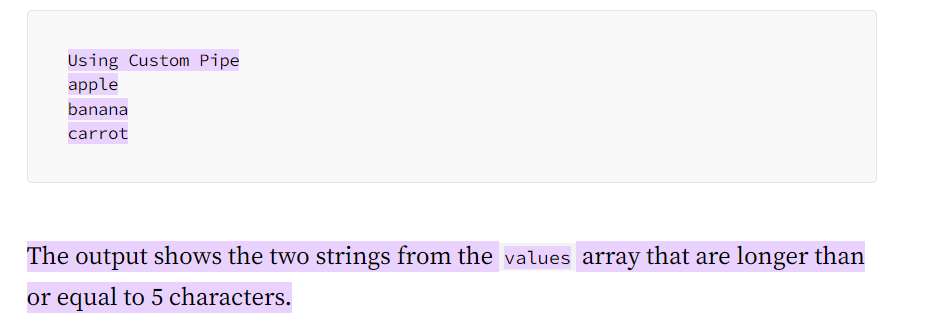
When the above code is run, it will display the following output:
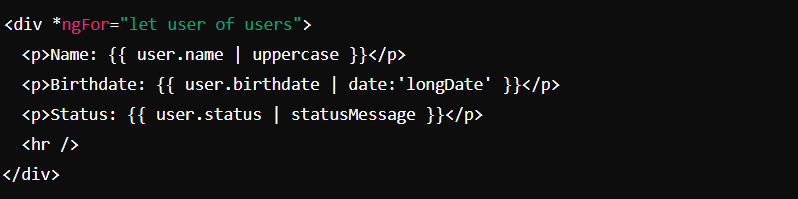
built in pipes
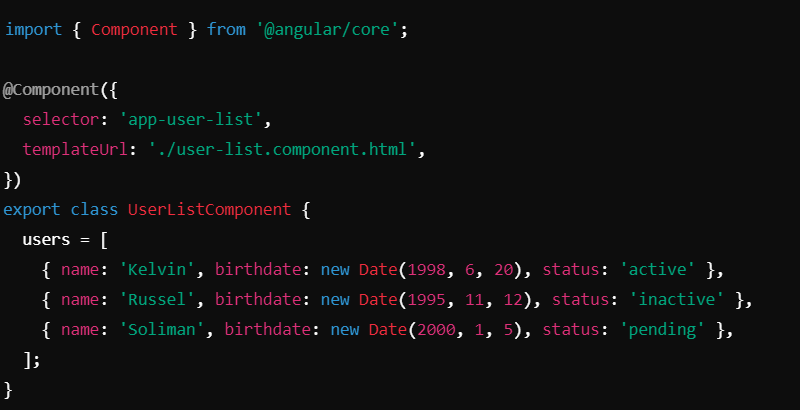
Cutom Pipes
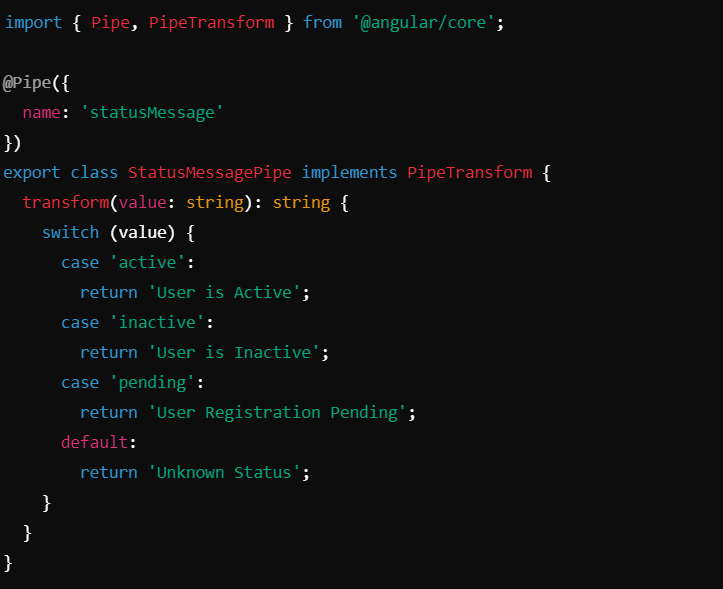
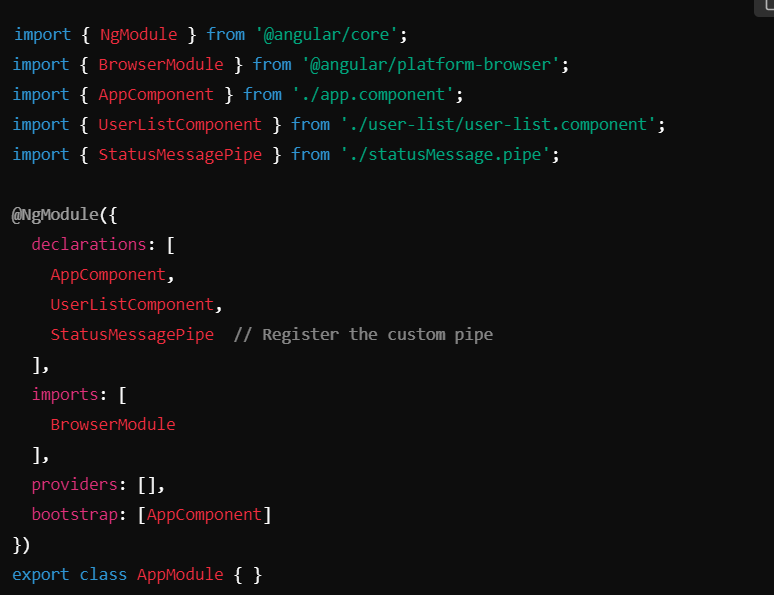
Built-in pipes are useful for common transformations.
Custom pipes let you define specific transformations that fit your application needs, like mapping status codes to user-friendly messages.