Data Structure in Typescript
What is Data Structure?
A data structure is a data organization, management, and storage format that enables efficient access and modification. More precisely, a data structure is a collection of data values, the relationships among them, and the functions or operations that can be applied to the data.
What is Typescript?
TypeScript is a programming language that adds extra functionality to JavaScript. JavaScript was never intended to drive complex frontend and backend applications. It was initially designed to add simple interactivity to websites; for example, to make clicky buttons and animate drop-down menus.
ref: https://www.contentful.com/blog/what-is-typescript-and-why-should-you-use-it/
Typescript has a strong typing system:
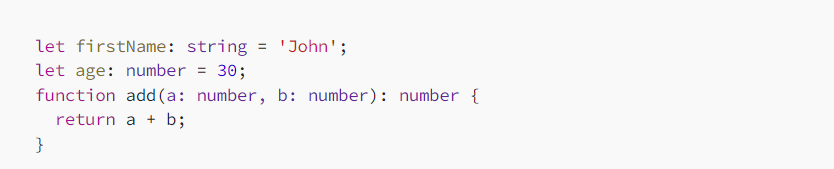
- TypeScript’s static typing - allows you to catch type-related errors at compile time rather than runtime. This can help you write more reliable code and catch errors early on in the development process. TypeScript allows you to specify the types of variables, function parameters, and return values.
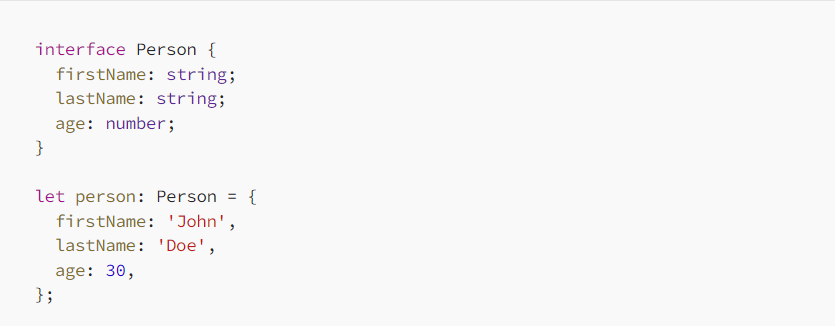
2. Interfaces define the structure of an object, but they don’t provide an implementation. They’re a way to describe the expected shape of an object, which can help ensure that your code works as expected. Interfaces define the shape of an object and can be used to ensure that an object adheres to a certain structure.
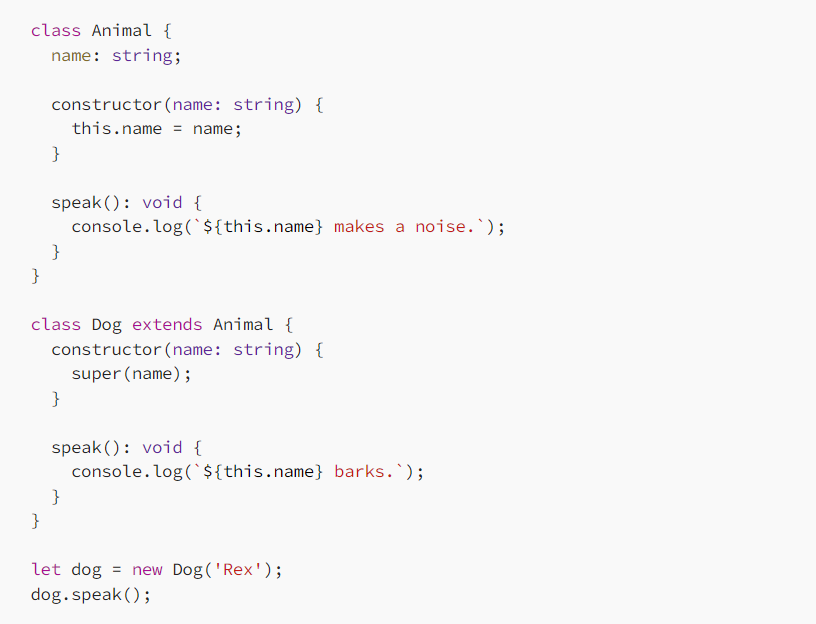
Classes in TypeScript are similar to classes in other object-oriented programming languages like Java and C#. They allow you to define properties and methods for a particular type of object, and they support inheritance and encapsulation. TypeScript supports object-oriented programming features like classes and inheritance.
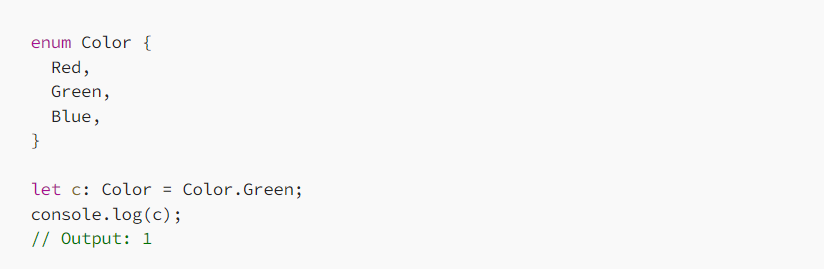
Enums are a way to define a set of named constants. They make your code more readable by giving names to values that would otherwise be hard to understand.
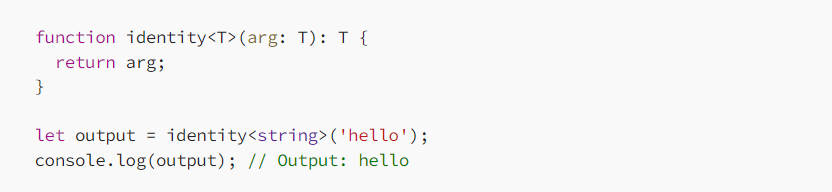
Generics allow you to write reusable code that works with a variety of types. They allow you to create functions, classes, and interfaces that can work with any type, rather than being tied to a specific type.
CHARACTERISTIC OF DATA STRUCTURE
Linear or Non-Linear
- This characteristic arranges the data in sequential order, such as arrays, graphs etc.
Static and Dynamic
- Static data structures have fixed formats and sizes along with memory locations. The static characteristic shows the compilation of the data.
Time Complexity
- The time factor should be very punctual. The running time or the execution time of a program should be limited. The running time should be as less as possible. The less the running time, the more accurate the device is.
Correctness
- Each data must definitely have an interface. Interface depicts the set of data structures. Data Structure should be implemented accurately in the interface.
Space Complexity
- The Space in the device should be managed carefully. The memory usage should be used properly. The space should be less occupied, which indicates the proper function of the device.
ref: https://www.simplilearn.com/tutorials/data-structure-tutorial/what-is-data-structure
DATA STRUCTURE TO COVER:
Arrays - this is the most common used data structure
Arrays in TypeScript, are ordered lists that can hold elements of any type. TypeScript introduces type annotations, allowing developers to define the type of elements an array can contain.

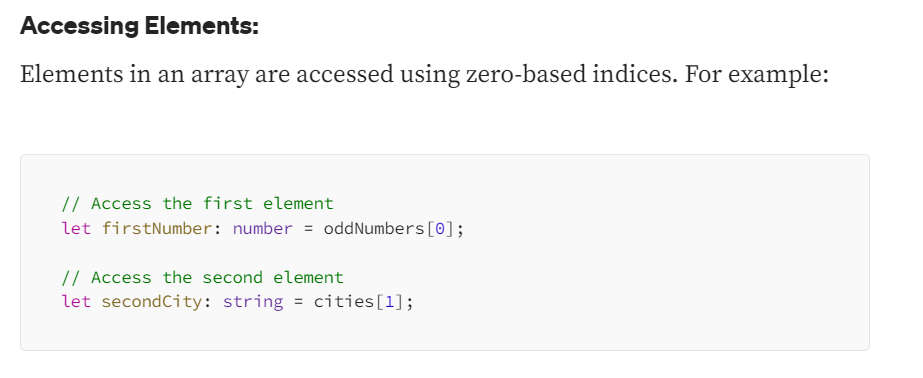
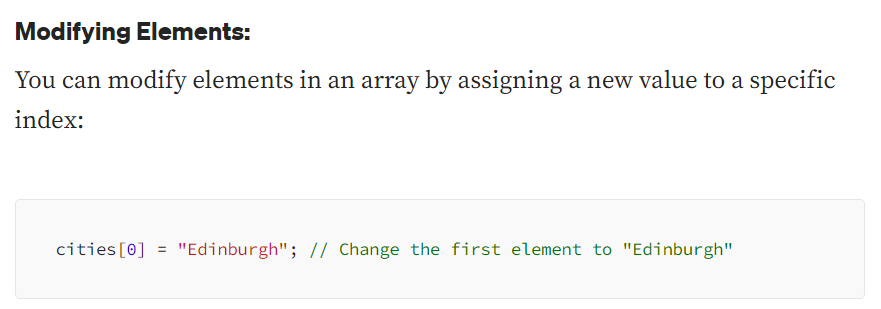
Array Methods:
Arrays in TypeScript come with built-in methods for common operations. Here are few of them:
.push(): Adds elements to the end of the array..pop(): Removes the last element from the array..length(): Returns the number of elements in the array..map(): Transforms each element of an array and creates a new array containing the results of applying a provided function to each element. The original array remains unchanged, and a new array with the transformed values is returned..forEach(): Iterates over each element in the array. Unlike the.map()method,.forEach()doesn't create a new array with transformed values; instead, it executes a provided function once for each element in the array.filter(): Creates a new array with all elements that pass a provided test implemented by the provided function..reduce(callback, initialValue): Applies a function against an accumulator and each element in the array (from left to right) to reduce it to a single value..find(callback): Returns the first element in the array that satisfies the provided testing function.splice(start, deleteCount, ...items): Changes the contents of an array by removing or replacing existing elements and/or adding new elements.
Tuple
A tuple is a specific type of array where the order of elements has a fixed relationship:

In conclusion, arrays in TypeScript provide a flexible way to work with collections of values, and TypeScript’s type system allows you to specify the types of elements within an array. They are versatile and commonly used in various scenarios, from simple lists to more complex data structures.
Tuple difference to array:
Arrays are like lists of items all of the same type, while tuples are structured, like a fixed set of elements with potentially varied types. By mastering these two data structures, you'll be better equipped to handle and organize data in your TypeScript projects effectively. ref: https://hyperskill.org/learn/step/38095
Stacks
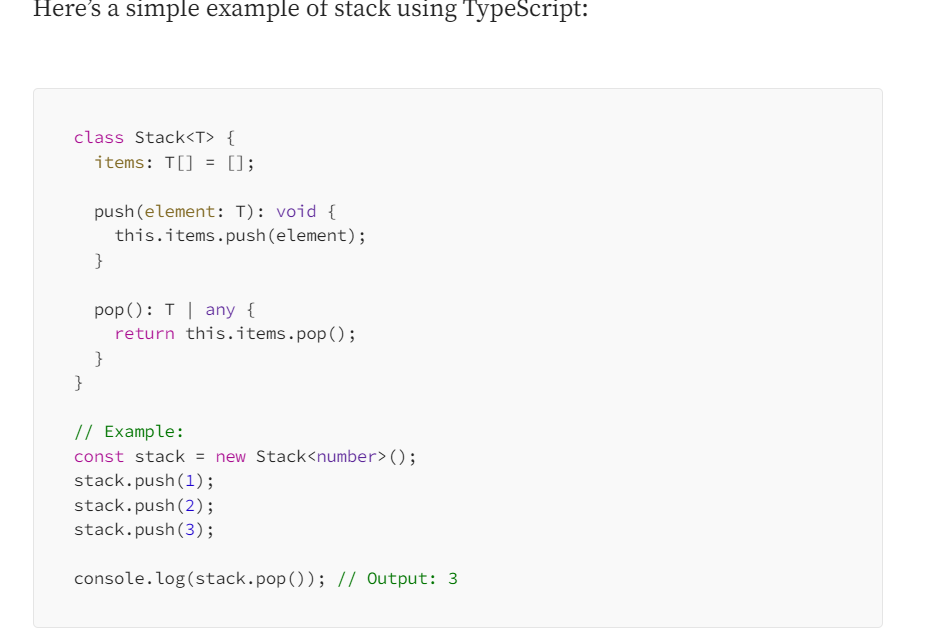
A stack is a data structure that follows the Last In, First Out (LIFO) principle. This means that the last element added to the stack is the first one to be removed. TypeScript allows us to implement a stack using arrays or linked lists.
Here are the basic operations associated with a stack:
Push: Adds an element to the top of the stack.
Pop: Removes the element from the top of the stack.
Peek or Top: Returns the element at the top of the stack without removing it.
isEmpty: Checks if the stack is empty.
Size: Returns the number of elements in the stack.
Queues
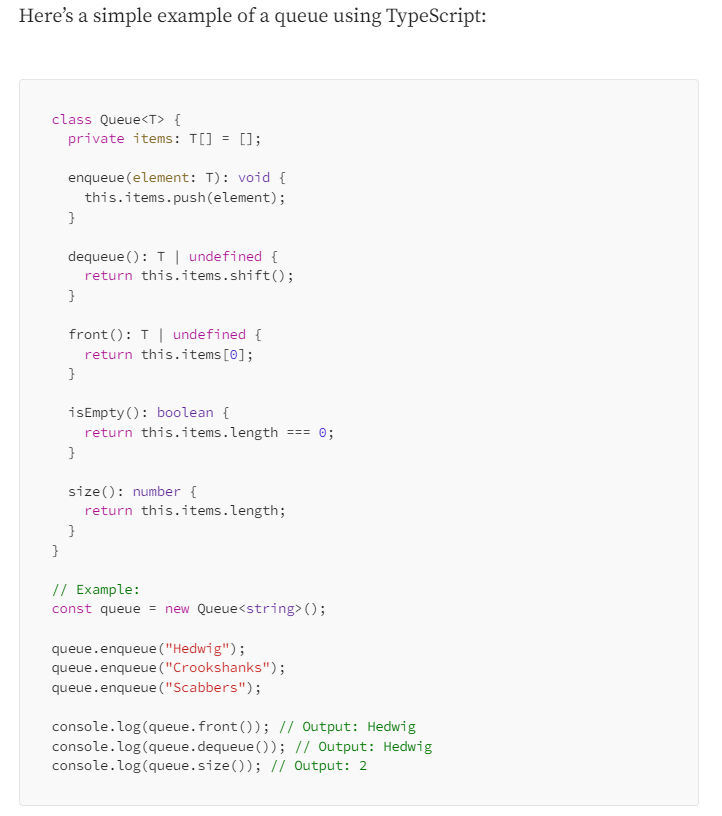
A queue is a data structure that follows the First In, First Out (FIFO) principle. This means that the first element added to the queue is the first one to be removed. Similar to stacks, queues can be implemented using arrays or linked lists.
Here are the basic operations associated with a queue:
Enqueue: Adds an element to the back of the queue.
Dequeue: Removes the element from the front of the queue.
Front: Returns the element at the front of the queue without removing it.
isEmpty: Checks if the queue is empty.
Size: Returns the number of elements in the queue.
Linked Lists
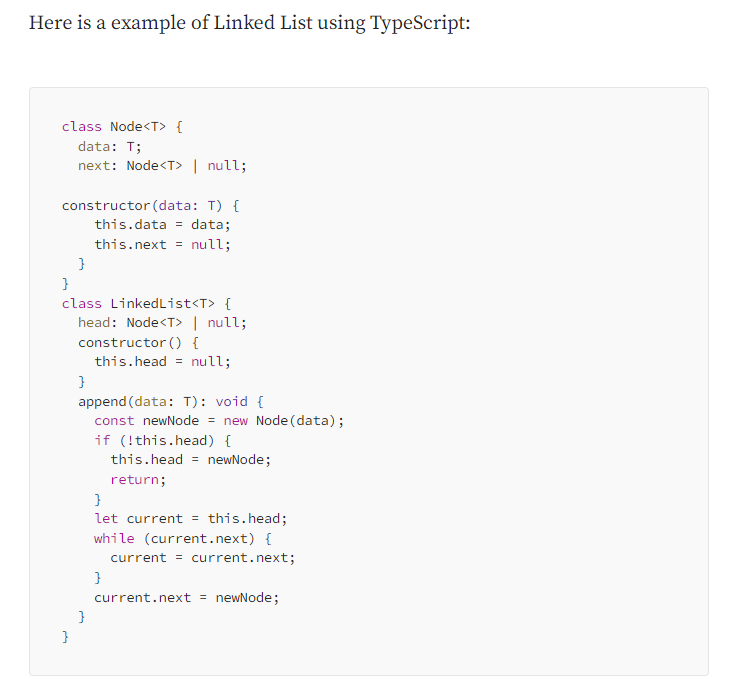
A linked list is a linear data structure where elements are stored in nodes, and each node points to the next node in the sequence. Unlike arrays, where elements are stored in contiguous memory locations, linked lists allow for dynamic memory allocation and efficient insertion and deletion of elements at any position in the list. TypeScript allows us to define a linked list using classes.
What are Linked Lists Used For?
Linked lists are used for various reasons and in different scenarios due to their characteristics:
Dynamic Size: Linked lists allow for dynamic memory allocation, making it easy to grow or shrink the list as needed.
Efficient Insertion and Deletion: Inserting or deleting elements in a linked list is more efficient than in arrays because it involves adjusting pointers, rather than shifting elements.
Constant-Time Insertions/Deletions at the Beginning: Adding or removing elements at the beginning of a linked list can be done in constant time, unlike arrays where it requires shifting all elements.
No Pre-allocation of Memory: Linked lists don’t require pre-allocation of a fixed amount of memory. They can use memory more efficiently as it’s needed.
Implementation of Other Data Structures: Linked lists are used as building blocks for implementing other data structures like stacks, queues, and more.
Dynamic Data Structures: Linked lists are suitable for situations where the size of the data is not known in advance, or it changes frequently.
Trees
Trees are hierarchical structures composed of nodes, where each node has a parent-child relationship with other nodes. The topmost node is called the root, and nodes with no children are called leaves. Trees are used in various applications, including hierarchical file systems, organizational charts, and decision trees.
Binary Trees: Each node has at most two children, a left child and a right child.
Binary Search Trees (BSTs): A type of binary tree where the left child of a node contains values smaller than the node, and the right child contains values greater than the node.
AVL Trees: A self-balancing binary search tree where the heights of the two child subtrees of every node differ by at most one.
Binary Tree
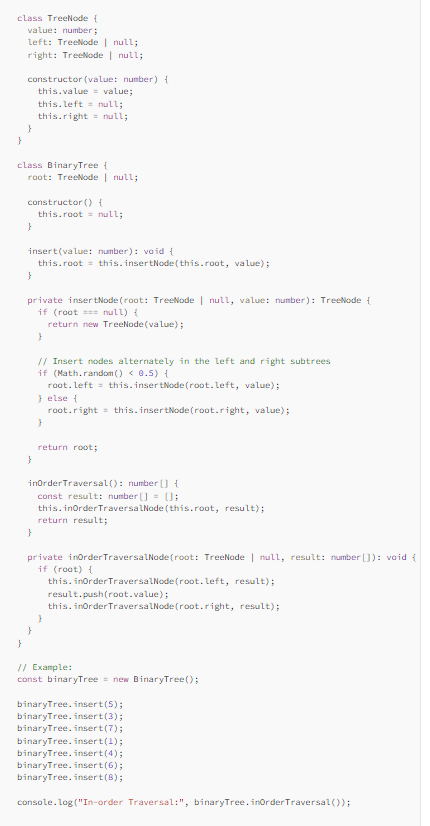
A binary tree is a hierarchical data structure in which each node has at most two children, referred to as the left child and the right child. The topmost node in a binary tree is called the root, and nodes with no children are called leaves. The structure of a binary tree reflects a hierarchy where each node is connected to its children in a way that resembles an inverted tree.
Here are the key terms associated with binary trees:
Root: The topmost node in the tree.
Parent: A node in the tree that has at least one child.
Child: A node directly connected to another node when moving away from the root.
Leaf: A node with no children.
Subtree: A tree formed by a node and its descendants.
Depth: The level or distance of a node from the root.
Height: The length of the longest path from a node to a leaf.
Binary trees can be categorized into different types based on their structure, such as full binary trees, complete binary trees, balanced binary trees (like AVL trees), and more.