Activity 14: Documentation of Activity 13
In this activity I will use different project that I will deploy to document it properly because I didn’t have any screenshots of my previews deployment. I will do it again, in real time so while I am doing the depoloyment I am doing its documentation as well at the same time.
First I will make a project in the firebase website in my case I will name it Activity14.
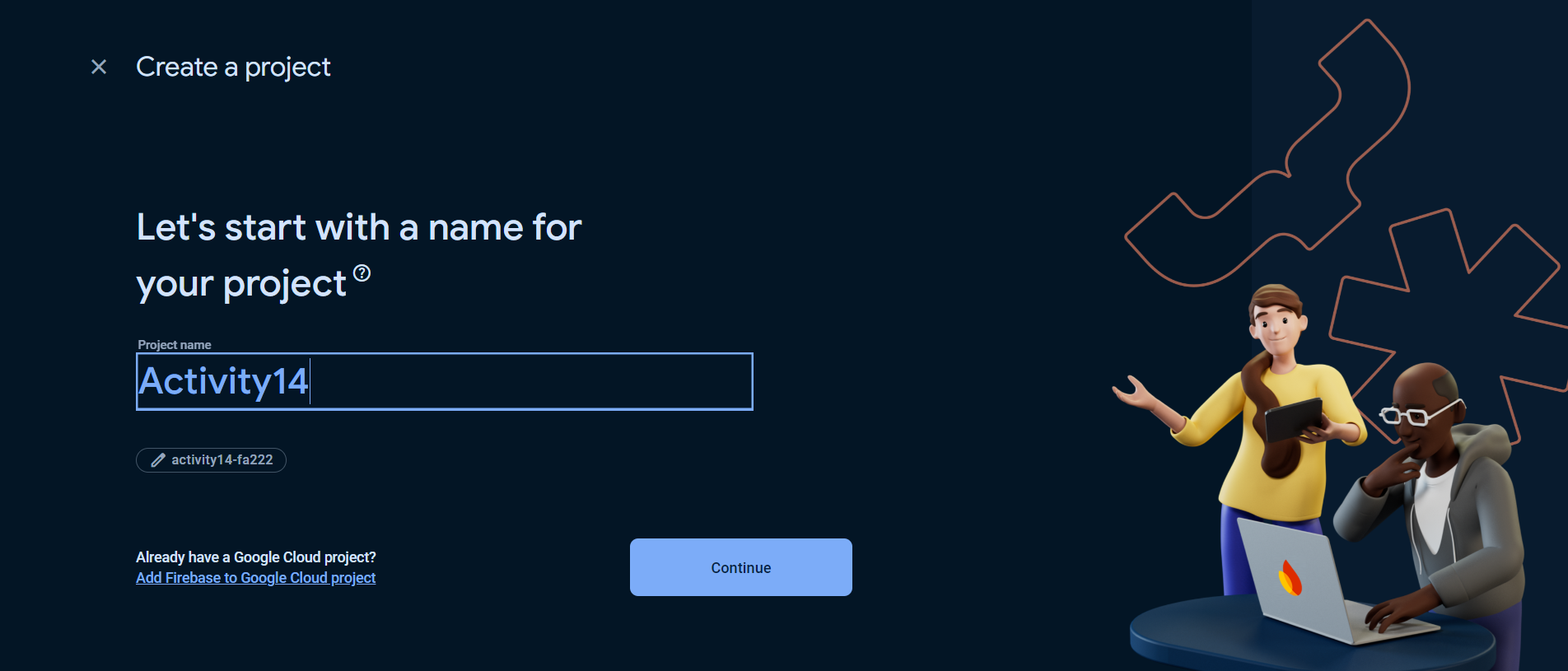
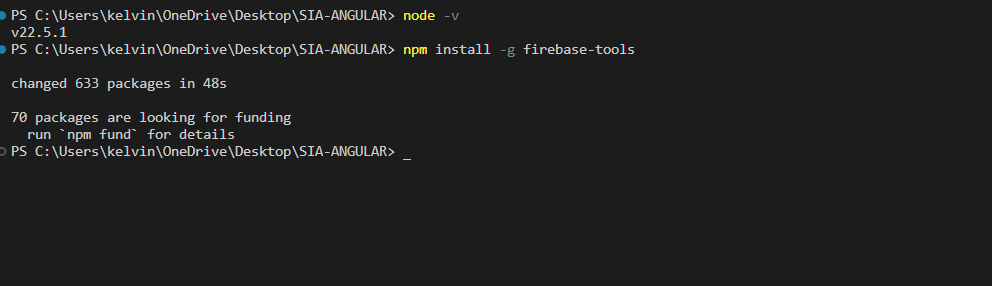
After creating a project we need to install the firebase tools. by typing
“npm install -g firebase-tools” in the cmd but I did it in my vscode terminal.
And then next type firebase login to login your account you are using in the firebase and then type firebase experiments:enable webframeworks
The command firebase experiments:enable webframeworks is used in the Firebase CLI to enable experimental features related to web frameworks in your Firebase project. This command can be particularly useful for developers who are working with modern web frameworks like React, Angular, or Vue.js, as it allows them to access new tools, functionalities, or integrations that Firebase is testing.
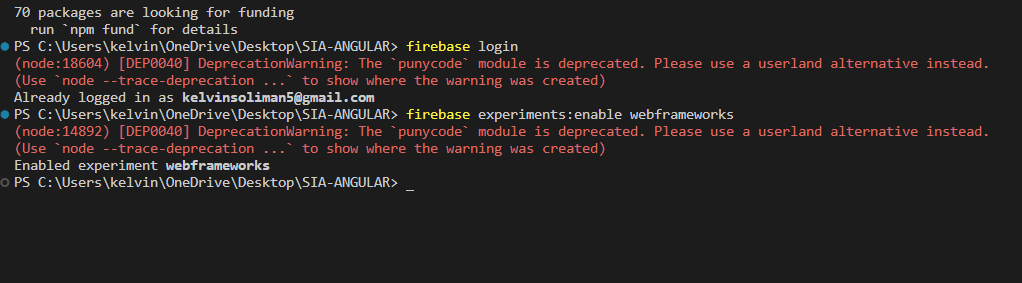
Just ignore the red warnings. This wont affect the process of deployment.
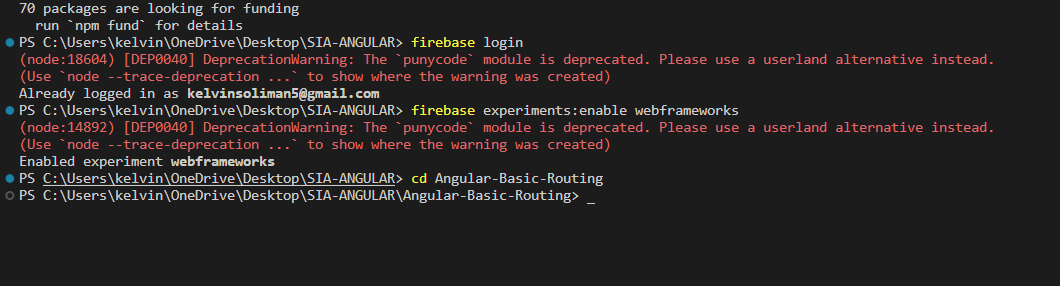
In the image above I entered a specific folder that I want to deploy. I used the Angular-Basic-Routing for this documentation because I already deployed the AngularComponents.
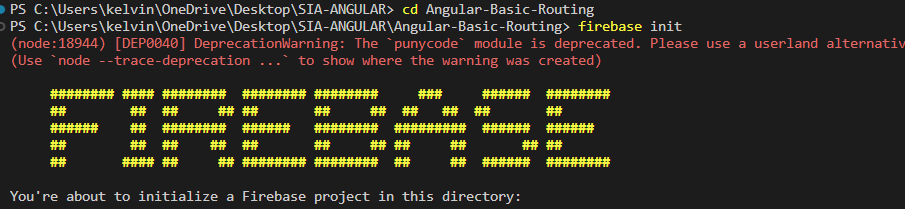
And then insde that folder type firebase init
The command firebase init is essential for setting up a new Firebase project or configuring an existing one in your local development environment. When you run this command, it initializes Firebase in your project folder, creating necessary configuration files such as firebase.json and .firebaserc, which are vital for managing your Firebase services.

After initializing your folder then they will ask this question. I just answered in with yes and chose the hosting and choose an exisiting project.
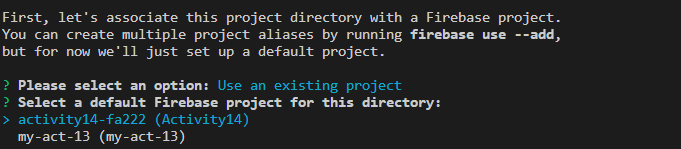
in the use an exisiting project I chose the project that I just created which is Activity14

and then in the hosting set up there’s a question like this I just answered it yes abd then the first option which is the us-cental1

And then after that there’s another question to set up automatic builds… just type N

After that this message should appear.
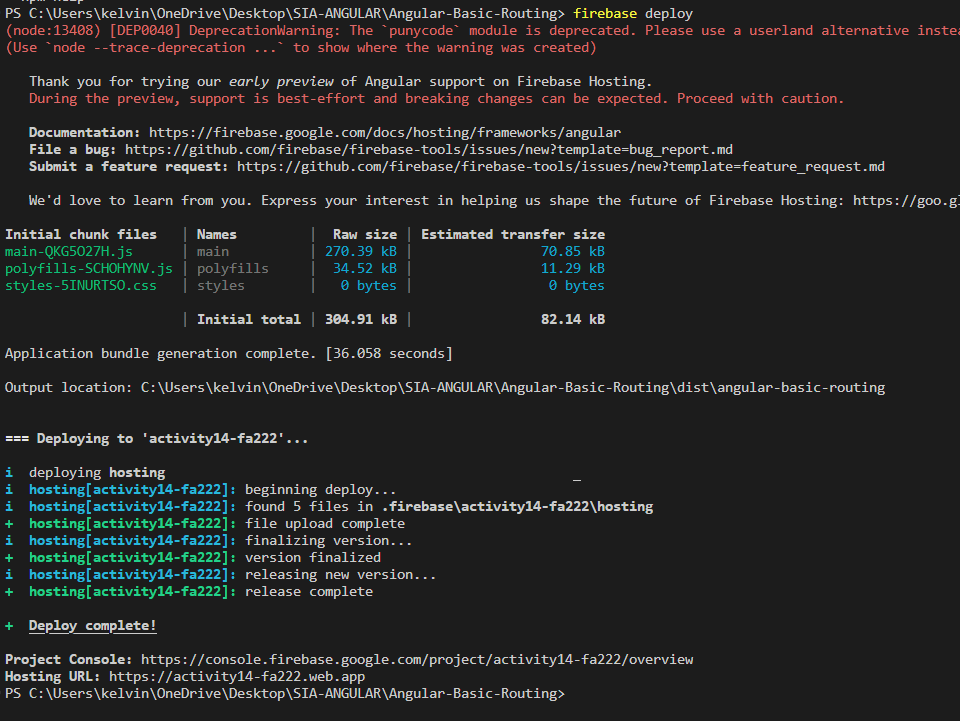
Type firebase deploy and the deployment is done. I will put the link of the deployed project at the bottom. this will me Angular-Basic-Routing since I deployed the AngularComponents already.
https://activity14-fa222.web.app
this is the link. and that’s all.